 kabootit
contents
Scripting the Web Like it is 2006
Tranquil v0.2.0. Rapidly script the web via a rich coding environment with first-class feedback and debugging.
Tranquil Studio provides the context that closes the loop between the developer scripting the web and the end user who uses the scripts to get work done.
With release v0.2.0, Tranquil Automations enables developers to rapidly script the web via a rich coding environment with first-class feedback and debugging.
In 2006, "scripting the web" suddenly appeared as a search term on Google. It didn't sneak in slowly gaining momentum over time — it was a cambrian explosion foisted upon the current zeitgeist.
An obvious assumption would be that this is the earliest date Google makes search term data available. But searching for "cat videos" confirms Google Trends data going back to 2004.
Is there another plausible explanation?
Correlation Sometimes Means Causation
The first real in-browser inspector/debugger was released January, 2006. It was Joe Hewitt's Firefox extension Firebug.
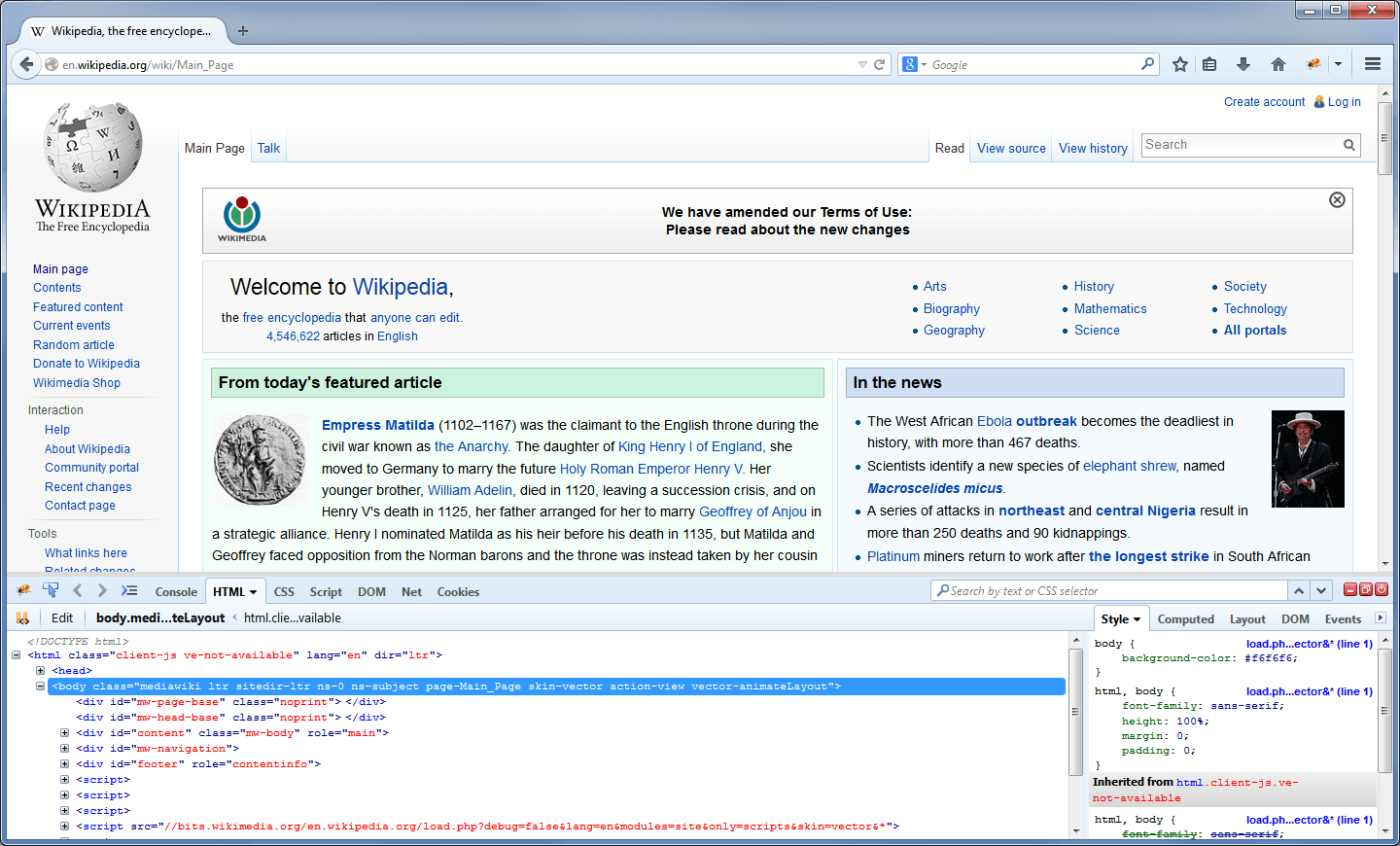

Hard to overstate what a phenomenon Firebug was. Overnight it seemed every developer worldwide had downloaded Firefox and was poking under the hood of every website that piqued their curiosity.
The allure of an application platform that was already installed on every single computer and used daily by every single user of every single computer — wow!
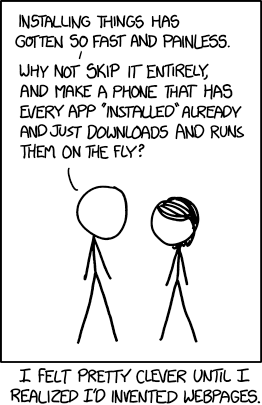
What followed was proprietary browser extensions (Flash, Java applets, random forays Microsoft came up with) going the way of the Dodo bird, JQuery normalizing browser vendor deviations, JavaScript on the server with NodeJS, Git going mainstream, open source taking off, VC money changing business models, training boot camps popping up to convert accountants into web programmers — and a whole new way of developing applications in a rapidly expanding ecosystem.
With the browser at the center.
Fast Forward
In the intervening years businesses have shifted away from apps installed on individual computers to accessing apps via a browser where the app itself is installed once on a computer in a data center and serving many users.
"Software as a Service" (SaaS) is now a norm for most general purpose business apps. Even for specialized business apps it is not uncommon to access a web version now. Contrast to a decade ago where Google Sheets was considered a bit of a joke compared to desktop spreadsheet apps.
Fair to say software is no longer the domain of specialists. Today's knowledge workers jump between a plethora of bespoke apps before they get to their second cup of coffee of the morning.
With the browser at the center.
What is Old is New Again
"Scripting the web" has recently surged to double it's peak in the early halcyon days.
Maybe AI hype isn't driven by sociopaths yelling "It's Alive!", touting how amazing AI is (going to be), or how many workers can be replaced. But by a collective sigh of frazzled knowledge workers dreaming of relief from today's software hell-scape driving their daily routines...
...pause for sarcasm....
There's some irony in AI hype promising to make our lives easier when tech is what made our lives this complicated in the first place.
As a beneficiary of LLM agent harnesses (Tranquil would have needed $2M, my last crack team of five engineers, and a year to get to where I've gotten solo in three months), I'm still a skeptic about businesses changing drastically. More of a reshuffle where (good news) knowledge workers will be even in more demand and (bad news) our lives will be even more complicated! Will see how this statement stands the test of time....
Philosophical Choice
In the same way that coders use LLM harnesses to write deterministic code now, Tranquil Studio is an environment to elevate "scripting the web" into business automations spanning multiple URLs that run deterministically as code.
This is the antithesis to current non-stop "autonomous agents hooked up to all your systems and data and watch them solve all your problems" hype.
Instead with Tranquil you use LLM agents as tools to discover repeatable processes and create scripts to repeat those processes over and over deterministically. This moves the agentic AI part to discovery and implementation and leaves the doing part to deterministic processes and systems.
Scripting the Web Today
Tranquil Studio brings a number of web coding techniques under one roof. At its core it has a Puppeteer-like SDK and environment that drives a browser. This is in contrast to writing extensions for the browser.
Extension Approach
Tranquil's Approach
This inversion of control comes with a lot of advantages. For example, Tranquil has a full debugger that you can step through code with and watch execution across URLs and scripts injected into pages.
With this power and flexibility comes some disadvantages too. Specifically, security. The browser has decades of figuring out how to enforce security boundaries. Scripting the browser from the outside pokes a hole in these boundaries.
Security
Dangerous things should be difficult to do by default or accident
Like so many apps built on electron, scripting a browser page in Tranquil Studio has the potential to allow external non-authorized code to run by virtue of loading a URL in an environment outside the browser's security boundary. This can be compounded by the typical requirements when scripting the web: credential handling, network access, host system access, etc.
Electron inherits the Chrome Browser engine security boundaries. However, once NodeJS gets involved, an implicit set of security assumptions kicks in that is your responsibility to guard against. Their security checklist is valid but begs the question of just how easy it is to mess something up.
Tranquil's security architecture is explicit, up-front, default deny, and multi-boundary. Same checklist applies but development guidance is flipped with granular opt-in and first run confirmation.
Deno
To achieve this security baseline, Tranquil replaces Electron's built-in NodeJS with Deno ("A drop-in JavaScript runtime with built-in TypeScript, npm support, and security by default") for its runtime primitive. As a scripting starting point, Deno gives Tranquil a number of advantages:
- Leverage Deno's security model for business automation scripts
- Opinionated approach and tooling for all coding tasks (linter, formatter, test runner, package manager, task runner, type checker, etc) keeps code uniform
- Deno's standard library for default coding approaches
- Deno's web platform APIs makes it a natural fit for scripting the web
- Typescript native: no compiler, no build step
That's a lot of items that Tranquil doesn't have to develop its own unique opinion about (which every NodeJS shop goes through). Exceptional developer ergonomics comes for free. Happy path is default. Cognitive load is confined to a well known coding language.
The one downside for eschewing NodeJS for Deno is that for local development Deno needs to be installed and in the PATH. For our end-user builds we bundle the Deno binary with our Electron binary. Considering Tranquil's upcoming Tranquil Engine (with durable functions) is also built on Deno, the Deno downsides are negligible considering Deno's importance as a building block across the entirety of Tranquil's surface area.
For More Information
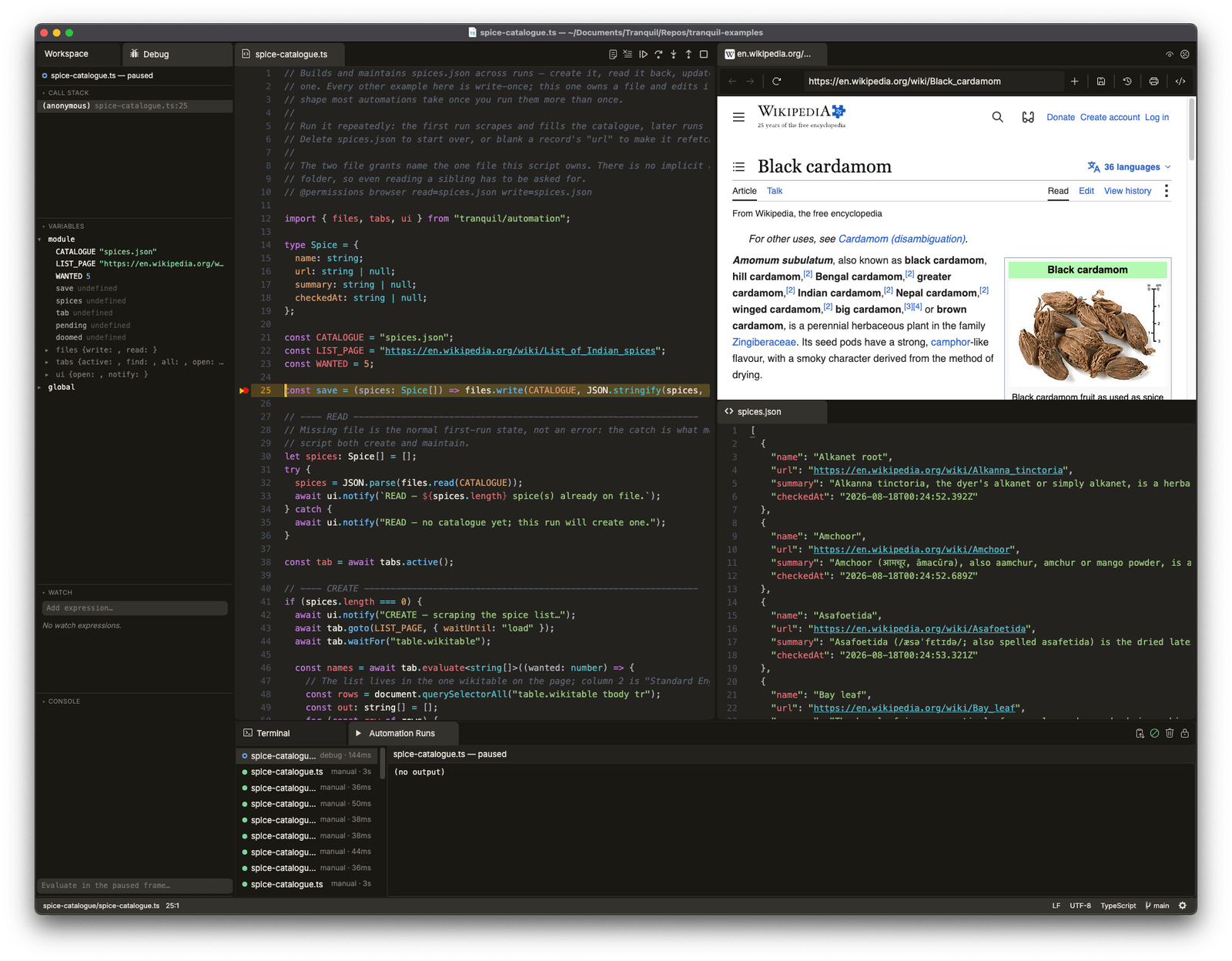
- v0.2.0 release notes: https://www.tranquillabs.dev/releases/v0.2.0/
- Tranquil Automations SDK: https://www.tranquillabs.dev/docs/writing-automations/#the-automation-sdk
- Deno ADR: https://www.tranquillabs.dev/docs/adr-0022-deno-automation-runner/
- Security review: https://www.tranquillabs.dev/docs/automations-v2-security/
- Local developer installation: https://www.tranquillabs.dev/docs/local-dev-setup/